
The large language models (LLMs) such as LLaMA 2/3 (70B+), Mixtral or other state of the art models typically demand a large and costly GPU with massive VRAM. This hardware cost proves to be a drag to the individual developers, researchers, and startups.
This is where AirLLM makes the difference.
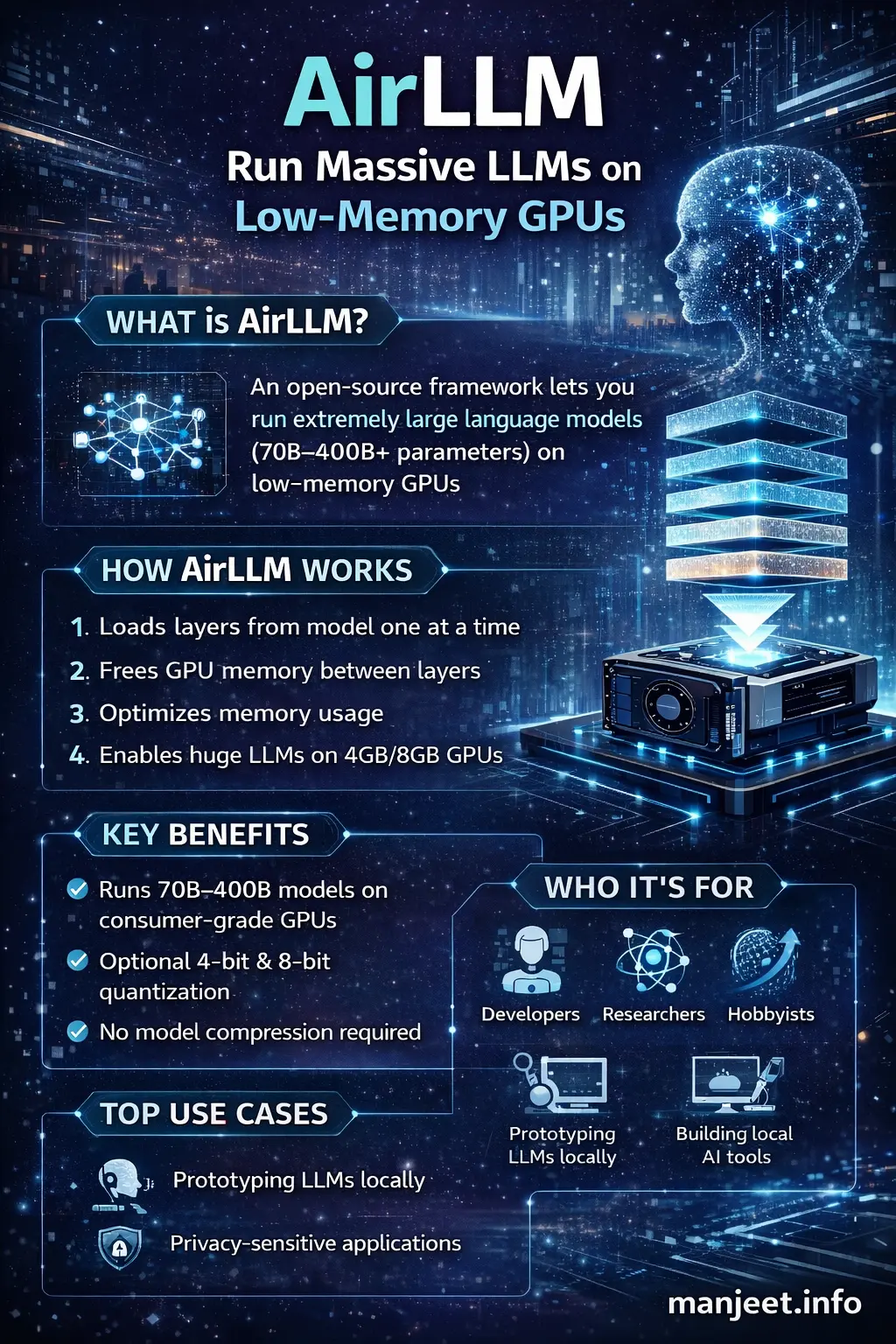
AirLLM is an open-source model which can utilize very large LLMs through low-memory GPUs (even 4-8 GB VRAM) by employing an intelligent layer-by-layer loading methodology.
In this article, you'll learn:
-
What AirLLM is and why it matters
-
How AirLLM works internally
-
Key features and benefits
-
Performance trade‑offs
-
Use cases and real‑world examples
-
How AirLLM compares to other LLM optimization techniques
This guide is written to be SEO‑optimized, GEO (Generative Engine Optimization) friendly, and beginner‑to‑advanced reader friendly.
What Is AirLLM?
-
Loads a single layer
-
Runs inference
-
Frees memory
-
Loads the next layer
This drastically reduces peak memory usage.
In simple terms:
AirLLM trades speed for accessibility - allowing massive models to run on ordinary GPUs.
Why AirLLM Is Important
1. Democratizes Large AI Models
Until recently, running a 70B+ parameter model required enterprise‑grade GPUs like A100 or H100. AirLLM enables:
-
Solo developers
-
Indie hackers
-
Students
-
Early‑stage startups
to experiment with cutting‑edge AI locally.
2. Reduces Cloud Costs
Instead of paying thousands of dollars per month for cloud GPUs, developers can:
-
Run models locally
-
Prototype before scaling
-
Reduce inference experimentation costs
3. Privacy‑First AI
Since models run locally:
-
No data leaves your machine
-
Ideal for sensitive or regulated environments
How AirLLM Works (Under the Hood)
 Traditional LLM Inference
Normally, an LLM runtime:
-
Loads all model layers into GPU memory
-
Performs inference
-
Requires VRAM equal to full model size
This approach fails on low‑memory GPUs.
AirLLM Approach
AirLLM uses a layer‑streaming architecture:
-
Model weights are stored on disk (CPU RAM or SSD)
-
Only one layer is loaded into GPU memory at a time
-
That layer performs its forward pass
-
The layer is unloaded
-
The next layer is loaded
This keeps GPU memory usage extremely low.
Key Trade‑off
-
Very low VRAM usage
-
Slower inference due to disk and CPU‑GPU transfers
Key Features of AirLLM
1. Ultra‑Low GPU Memory Usage
-
Run 70B models on 4 GB GPUs
-
Run 100B+ models on consumer hardware
2. No Mandatory Quantization
Unlike other solutions, AirLLM:
-
Does not require aggressive quantization
-
Preserves model quality by default
3. Optional Quantization Support
For better speed, AirLLM supports:
-
4‑bit quantization
-
8‑bit quantization
4. Hugging Face Compatibility
AirLLM works with:
-
Hugging Face Transformers
-
Popular open‑source LLMs
5. Open‑Source & Extensible
-
Fully open‑source
-
Easy to customize for research or production experiments
AirLLM vs Other LLM Optimization Techniques
AirLLM vs Quantization
| Feature | AirLLM | Quantization |
|---|---|---|
| Memory Reduction | ✅ Very High | ✅ High |
| Accuracy Loss | ❌ None (default) | ⚠ Possible |
| Speed | ❌ Slower | ✅ Faster |
| Hardware Needs | Very Low | Medium |
AirLLM vs Model Sharding
-
Sharding requires multiple GPUs or nodes
-
AirLLM works on a single GPU
AirLLM vs LoRA / Fine‑Tuning
-
LoRA focuses on training efficiency
-
AirLLM focuses on inference memory efficiency
Real‑World Use Cases
1. Local AI Assistants
Run powerful chatbots locally without sending data to cloud APIs.
2. AI Research & Education
Students and researchers can experiment with large models without enterprise hardware.
3. Prototyping AI Products
Validate ideas before investing in expensive infrastructure.
4. Edge & On‑Prem AI
Useful for on‑premise deployments where cloud access is restricted.
Performance Expectations
What to Expect
-
Inference is slower than GPU‑resident models
-
Best suited for:
-
Batch processing
-
Research
-
Low‑QPS workloads
-
What Not to Expect
-
Real‑time, high‑throughput production inference
-
Ultra‑low latency applications
Who Should Use AirLLM?
AirLLM is ideal for:
-
Developers with limited hardware
-
AI researchers
-
Indie founders
-
Privacy‑focused applications
It may not be ideal for:
-
High‑traffic production APIs
-
Real‑time inference systems
Final Thoughts
AiAirLLM is a solid reminder of the fact that hardware dependency can be decreased with the help of software innovation. By reconsidering the ways models are loaded and executed, AirLLM will allow more individuals to work with the cutting-edge AI.
AirLLM is worth considering, in case you are serious about playing with large language models, but do not want to burn money on GPUs.